Deploy to GitHub Pages
A step-by-step guide to hosting your static website for free using GitHub Pages.
Step 1: Push Your Code
Ensure your project is initialized as a Git repository and pushed to GitHub.
git init
git add .
git commit -m "Initial commit"
git remote add origin https://github.com/username/repository.git
git push -u origin main
git add .
git commit -m "Initial commit"
git remote add origin https://github.com/username/repository.git
git push -u origin main
Step 2: Configure Pages Settings
Go to your repository on GitHub, navigate to Settings > Pages.
Under "Build and deployment", select Deploy from a branch.
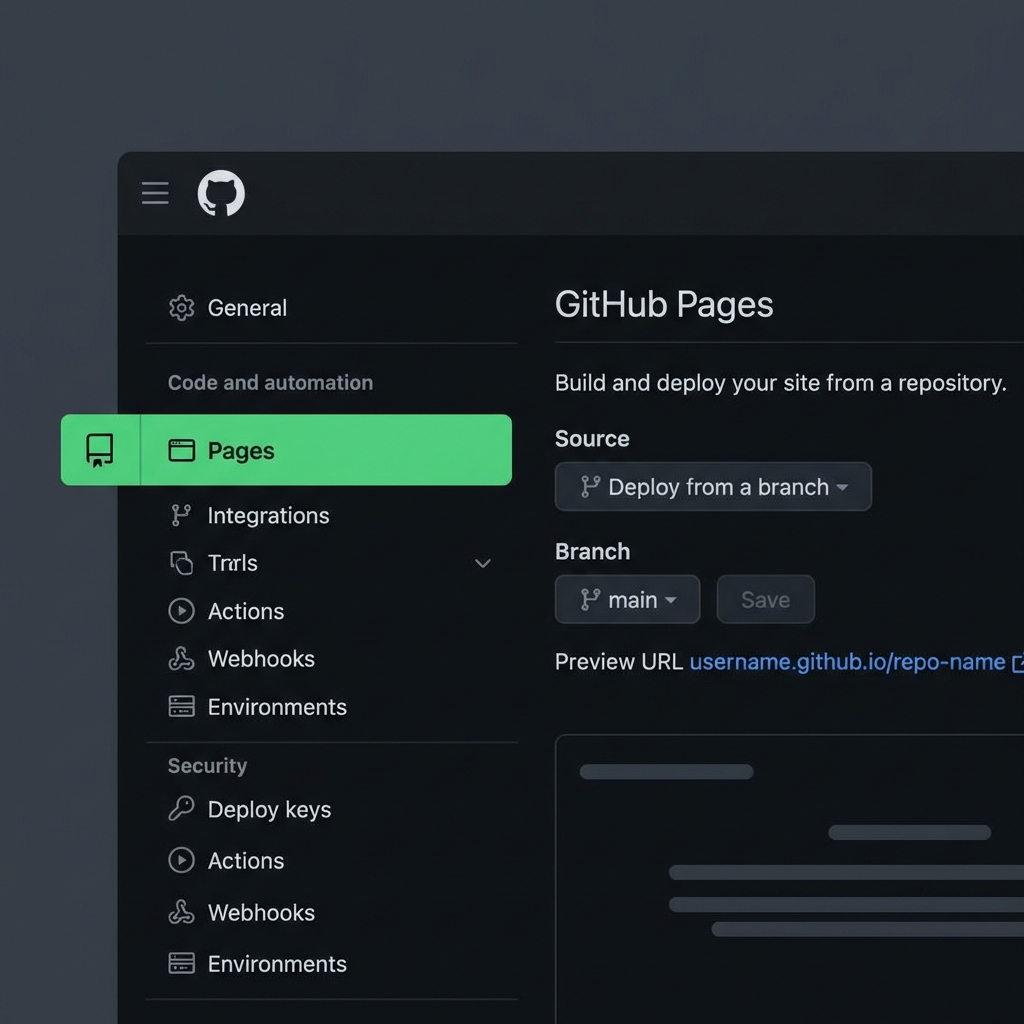
Step 3: Select Source
Choose the main branch and ensure the folder is set to / (root). Click Save.
Step 4: Live!
Wait a few minutes. Your site will be published at:
https://username.github.io/repository-name